

Read the charts before you build your next Lens
The Lens+ Top Charts on the home page say which Lenses and which creators are winning in the Lens+ creator program, and what tops each category. You do not need an account to read them.
Open easylens.snapchat.com and tap Lens+ Top Charts in the row above the feed, or go straight to /topic/lens-plus-top-charts. There is nothing to sign in for. Three tabs sit under the heading, Trends, Creators and Categories, and the pills under the open tab decide what the grid below shows.
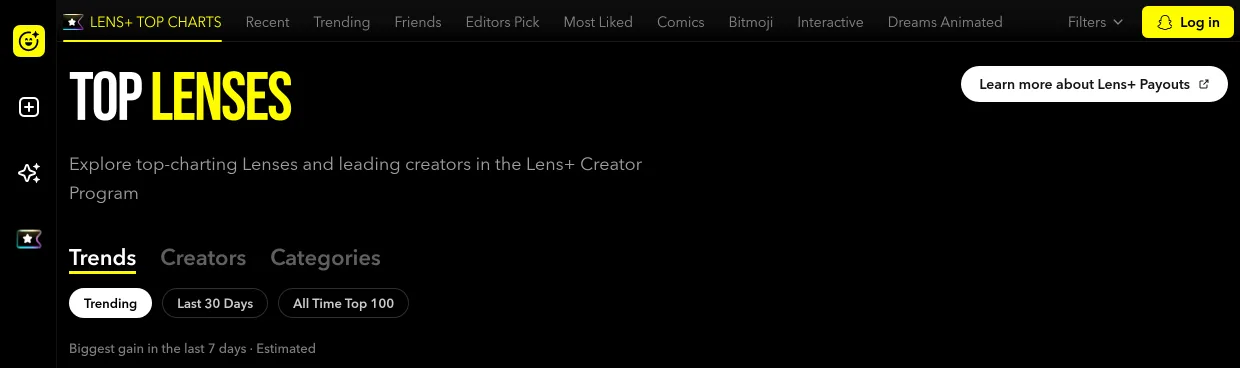
Start on Trending, the board the page opens on. The line under the pills reads Biggest gain in the last 7 days · Estimated, so you are reading this week's movers rather than a settled month, and each card carries the rank, the Lens name, the creator and the categories it was filed under.
Switch to All Time Top 100 when a Lens on Trending looks like a fluke. It ranks across the whole span the charts hold, and the heading spells that span out, so a Lens sitting on both boards is a shape that keeps working rather than one that caught a good week.
Read Last 30 Days for the month rather than the week. Its line reads Top 100 · last 30 days · Estimated, so it sits between the seven days of Trending and the whole span of All Time Top 100.
Open Creators when you want to copy a way of working rather than a Lens. Top Creators ranks by hit rate, the percentage of submitted lenses that were rewarded, which is a share and not a total, so a creator who publishes carefully outranks one who publishes constantly. New Creators is whoever had their first Lens rewarded this month, and Most Improved is the biggest month-over-month gain in that same share.
Finish on Categories once you know what kind of Lens you want to make. Its pills are the categories themselves, from Aesthetic to Video Effects, and each one opens that category's top 100 Lenses of the last 30 days. The heading takes the category's name, so Quiz turns the page into Top Quiz.
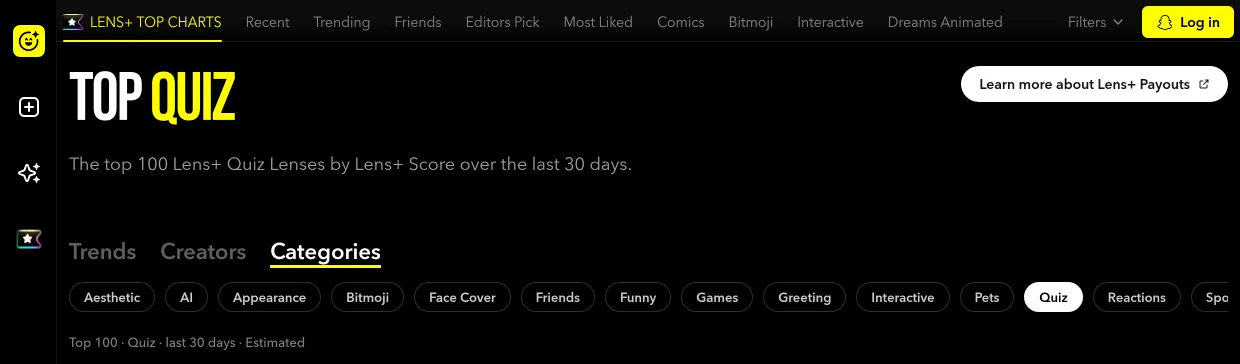
Read the category you picked for what already works in it, then describe your own take in the chat the way you would any other Lens: "Make a quiz that tells me which of my friends I am most like."
Mark it for payouts if you want it to earn. Learn more about Lens+ Payouts sits at the top right of every board, and get paid for the Lenses you publish is the switch itself and what you trade for it.
You can tell which Lenses and which creators are winning, and you know what tops the category you plan to build your next Lens in.